Your Cloud Provider Is Quietly Overcharging You
Let me be direct with you. If you are running a small business with a monthly cloud bill between $500 and $15,000, you are almost certainly paying 40-60% more than you should be.
That is not a guess. That is what we find in virtually every small business cloud audit we perform. And it is not because cloud providers are dishonest. It is because their pricing is designed for enterprises with dedicated FinOps teams, not for a 15-person startup where the CTO is also the head of DevOps, security, and sometimes customer support.
The good news? Most of the savings require zero code changes, zero architecture redesigns, and maybe 2-4 hours of your time this week. This guide will show you exactly where your money is going and how to get it back.
Why Small Businesses Get Hit the Hardest
Enterprise companies negotiate custom pricing, have dedicated cost engineers, and run sophisticated optimization tools. Small businesses get the default pricing, the default configurations, and the default billing surprises.
Here is what that actually means in dollars:
Default instance sizing costs you 2-4x more than necessary. When you spin up an EC2 instance or a Cloud SQL database, the provider suggests sizes based on peak theoretical load, not your actual usage. A small SaaS app serving 5,000 users does not need a db.r6g.xlarge ($550/month). A db.t4g.medium ($95/month) handles that workload just fine. That single change saves $5,460 per year.
You are paying for resources that run 24/7 but only need to run 8-10 hours. Development environments, staging servers, CI/CD runners, data processing pipelines. If these run around the clock but only get used during business hours, you are paying for 14-16 hours of idle time every single day. That is 58-67% waste on those resources.
Data transfer charges hide in plain sight. Small businesses rarely think about egress costs until they get the bill. Moving data between availability zones costs $0.01/GB on AWS. Sounds tiny until you realize your application makes 50 million cross-AZ requests per month and you are suddenly paying $500 just for internal traffic.
Forgotten resources accumulate silently. That test database you created three months ago? Still running. The load balancer from a feature branch you merged in January? Still billed. Old EBS snapshots from before your last migration? Still stored. We consistently find $200-800/month in zombie resources on small business accounts.
The Real Numbers: What Small Businesses Actually Spend
Here is a breakdown of typical monthly cloud spend for small businesses at different stages, and where the waste hides:
| Business Stage | Monthly Cloud Bill | Typical Waste | Recoverable Savings |
|---|---|---|---|
| Pre-revenue startup (1-5 engineers) | $300-1,500 | 35-50% | $100-750 |
| Early-stage SaaS (5-15 engineers) | $1,500-8,000 | 40-55% | $600-4,400 |
| Growth-stage (15-50 engineers) | $8,000-25,000 | 30-45% | $2,400-11,250 |
| Scaling business (50-100 engineers) | $25,000-80,000 | 25-40% | $6,250-32,000 |
The pattern is clear: the smaller you are, the higher your waste percentage. That is because you do not have the headcount to watch the bill closely, and you are using default configurations that were designed for much larger workloads.
12 Specific Ways to Cut Your Cloud Bill This Week
These are ordered from quickest wins (do them today) to deeper optimizations (tackle over the next month). Every single one applies to businesses spending $500 or more per month.
1. Schedule Non-Production Resources to Stop After Hours
This is the single highest-ROI action for any small business. If your dev and staging environments run 24/7, you are wasting 67% of their cost.
How to do it on AWS: Use AWS Instance Scheduler to automatically stop EC2 instances and RDS databases outside business hours. Set them to run Monday through Friday, 8 AM to 8 PM.
How to do it on GCP: Use Cloud Scheduler with Cloud Functions to start/stop Compute Engine instances.
How to do it on Azure: Use Azure Automation with runbooks to schedule VM start/stop.
Savings: 60-70% on non-production compute costs. For a typical small business with $1,500/month in dev/staging infrastructure, that is $900-1,050 saved per month.
2. Right-Size Every Database Instance
Databases are the most over-provisioned resource in small business cloud accounts. Period.
Check your database CPU and memory utilization right now. If average CPU is below 20% and memory usage is below 40%, you can safely drop down one or two instance sizes.
| Current Size | Monthly Cost (AWS RDS PostgreSQL) | Right-Sized To | New Monthly Cost | Annual Savings |
|---|---|---|---|---|
| db.r6g.xlarge | $548 | db.r6g.large | $274 | $3,288 |
| db.r6g.large | $274 | db.t4g.large | $196 | $936 |
| db.t4g.large | $196 | db.t4g.medium | $98 | $1,176 |
Use AWS Compute Optimizer or GCP Recommender to get specific right-sizing recommendations for your instances.
3. Delete Zombie Resources
Run this audit right now:
- Unattached EBS volumes: Go to EC2 > Volumes > filter by "Available" state. Every volume in "Available" is costing you money and doing nothing.
- Old snapshots: Sort by creation date. Anything older than 90 days that is not part of your backup policy can likely go.
- Unused Elastic IPs: Each unattached Elastic IP costs $3.65/month. Small, but it adds up.
- Idle load balancers: Check for ALBs/NLBs with zero healthy targets. Base cost is $16-22/month each.
- Orphaned Lambda functions: Functions you deployed for testing and forgot about. They do not cost much unless they are triggered, but their associated CloudWatch log groups accumulate storage charges.
Free tools like AWS Trusted Advisor (available on all support plans now) and our LeanOps Cloud Scorecard can find these in minutes.
4. Switch to Graviton/ARM Instances
If you are running on Intel-based instances (m5, c5, r5 families on AWS), switching to ARM-based Graviton instances (m7g, c7g, r7g) gives you 20-30% better price-performance with zero application changes for most workloads.
The same applies to Azure Cobalt and GCP Tau T2A instances.
Your Node.js, Python, Java, Go, and .NET applications will run on ARM with no modifications. Docker containers built for multi-architecture work out of the box. The only exception is if you are running x86-specific compiled binaries, which is rare for small business workloads.
5. Use Spot/Preemptible Instances for Batch Work
If you run any batch processing, data pipelines, CI/CD builds, or background jobs, spot instances save 60-90% compared to on-demand pricing.
The risk of interruption scares people off, but here is the reality: spot instances in less popular instance families (m6g, c6g) in non-us-east-1 regions have interruption rates below 5%. For batch jobs that can retry on failure, this is essentially free savings.
Monthly savings example: A CI/CD pipeline running 8 hours per day on a c5.2xlarge costs $492/month on-demand. On spot, the same workload costs $148/month. That is $344/month saved, or $4,128 per year.
6. Implement S3 Lifecycle Policies (or Equivalent)
If you store files in S3, GCS, or Azure Blob Storage without lifecycle policies, you are paying premium storage prices for data nobody has accessed in months.
Set up automatic tiering:
- 0-30 days: Standard storage ($0.023/GB on S3)
- 30-90 days: Infrequent Access ($0.0125/GB on S3, 46% cheaper)
- 90-365 days: Glacier Instant Retrieval ($0.004/GB on S3, 83% cheaper)
- 365+ days: Glacier Deep Archive ($0.00099/GB on S3, 96% cheaper)
Or simply enable S3 Intelligent-Tiering and let AWS do it automatically. There is a small monitoring fee ($0.0025/1,000 objects), but for most small businesses it pays for itself within the first month.
7. Use Reserved Instances or Savings Plans for Baseline Load
If you have resources that run 24/7 (production databases, application servers, cache clusters), you are leaving money on the table by paying on-demand rates.
| Commitment Type | Savings vs. On-Demand | Lock-in | Best For |
|---|---|---|---|
| 1-Year No Upfront Reserved | 30-40% | Specific instance type | Stable workloads you are confident about |
| 1-Year Compute Savings Plan | 20-30% | Any instance type/region | Flexible workloads that may change |
| 3-Year All Upfront Reserved | 55-65% | Specific instance type | Database instances you will definitely keep |
Start small: Commit to reserved pricing only for resources you have run consistently for the past 3+ months. Do not reserve anything you might turn off in 6 months.
For a detailed comparison, read our guide on reserved instances vs. pay-as-you-go.
8. Consolidate AWS Accounts Under an Organization
If you are running multiple AWS accounts (common when different team members create accounts for different projects), consolidating under AWS Organizations gives you:
- Volume discounts: AWS applies tiered pricing based on combined usage across all accounts
- Shared reserved instances: RIs purchased in one account apply to matching instances in any account
- Consolidated billing: One bill, one place to track spend
- Free: This costs nothing to set up
9. Review and Reduce Data Transfer Costs
Data transfer is the most misunderstood line item on cloud bills. Here are the traps and fixes:
Cross-AZ traffic: If your application servers and databases are in different availability zones, every request pays $0.01/GB each way. Put them in the same AZ for non-critical workloads, or use VPC endpoints to reduce NAT gateway charges.
NAT Gateway costs: If you are routing traffic through a NAT gateway, you are paying $0.045/GB processed plus $0.045/hour. For a small business pushing 500GB/month through NAT, that is $22.50 in processing fees plus $32.40 for the gateway, totaling $55/month. Consider VPC endpoints for S3 and DynamoDB (free) to bypass NAT for those services.
CDN for static assets: If you serve images, CSS, JS, or video from your origin servers, every byte costs egress pricing. CloudFront (AWS), Cloud CDN (GCP), or Cloudflare (provider-agnostic, has a generous free tier) cache content at the edge and dramatically reduce origin egress.
10. Use Free Tier Strategically
Cloud providers offer permanent free tiers that many small businesses do not fully exploit:
AWS Free Tier (always free):
- 1 million Lambda requests/month
- 25GB DynamoDB storage
- 5GB S3 Standard storage
- 750 hours/month of t2.micro or t3.micro (first 12 months)
GCP Free Tier (always free):
- 1 f1-micro Compute Engine instance
- 5GB Cloud Storage
- 1GB Cloud Functions invocations
- 10GB Cloud Run requests
Azure Free Tier (always free):
- 750 hours B1s VM (first 12 months)
- 5GB Blob Storage
- 250GB SQL Database
If you are running low-traffic internal tools, monitoring dashboards, or documentation sites, these free tiers can cover the entire workload.
11. Set Up Budget Alerts Before You Optimize
Before you change anything, set up AWS Budgets, GCP Budget Alerts, or Azure Cost Alerts to notify you when spending exceeds thresholds.
Set three alerts:
- 80% of budget: Early warning to investigate
- 100% of budget: Something needs attention today
- 120% of budget: Emergency, something is wrong
This costs nothing to set up and prevents surprises. The number of small businesses running without any budget alerts is genuinely shocking. Do this before anything else.
12. Audit Your SaaS and Third-Party Tool Stack
This is not technically "cloud cost optimization," but it is adjacent and often overlooked. Small businesses accumulate SaaS subscriptions the same way they accumulate cloud resources.
Check for:
- Monitoring tools with overlapping features (do you really need both Datadog AND New Relic?)
- Unused seats on per-seat tools
- Annual subscriptions for tools the team stopped using
- Premium tiers when the free tier covers your usage
We regularly find $500-2,000/month in redundant SaaS spending during cloud operations reviews.
The "Right-Sized Stack" for Each Business Stage
Here is what a cost-optimized cloud setup actually looks like at each stage:
Pre-Revenue Startup ($300-500/month target)
- Compute: Single t4g.small or t4g.medium instance ($15-30/month), or serverless with Lambda/Cloud Run
- Database: RDS db.t4g.micro or PlanetScale/Supabase free tier
- Storage: S3 with Intelligent-Tiering, under 50GB
- CDN: Cloudflare free plan
- Monitoring: CloudWatch basic (free) + Grafana Cloud free tier
- CI/CD: GitHub Actions free tier (2,000 minutes/month)
Early-Stage SaaS ($1,000-3,000/month target)
- Compute: 2-4 Graviton instances with auto-scaling, or ECS Fargate
- Database: RDS db.t4g.medium with 1-year reservation ($68/month vs. $98/month on-demand)
- Cache: ElastiCache t4g.small ($25/month) or Redis Cloud free tier
- Storage: S3 with lifecycle policies, 100GB-1TB
- CDN: CloudFront or Cloudflare Pro ($20/month)
- Monitoring: Grafana + Prometheus self-hosted, or Datadog with strict log limits
Growth-Stage ($5,000-12,000/month target)
- Compute: Auto-scaling groups with mixed on-demand and spot instances, Graviton-based
- Database: Aurora Serverless v2 (scales to zero) or RDS with reserved instances
- Kubernetes: ECS Fargate (not EKS unless you genuinely need it, the control plane alone costs $73/month)
- Storage: S3 with Intelligent-Tiering, multi-tier lifecycle
- CDN: CloudFront with reserved capacity or Cloudflare Business
- Monitoring: OpenTelemetry + Grafana stack, sample traces at 10-20%
- FinOps: Monthly cost reviews, automated optimization with native tools
The 5 Biggest Mistakes Small Businesses Make
Mistake 1: Choosing a Region Based on Proximity Alone
us-east-1 is the most popular AWS region. It is also frequently the most expensive for certain services and the most congested. If your customers are US-based, us-east-2 (Ohio) or us-west-2 (Oregon) often have identical latency with slightly lower pricing for some services.
Mistake 2: Running Kubernetes Too Early
Kubernetes is incredible at scale. For a team of 5-15 engineers running fewer than 10 services, it adds $500-2,000/month in overhead (control plane, node groups, load balancers, EBS volumes, engineering time) without providing proportional value. Use ECS Fargate, Cloud Run, or plain EC2 with auto-scaling until you genuinely outgrow them.
Mistake 3: Ignoring the Database License Hidden in Your RDS Bill
If you are running RDS for Oracle or SQL Server, you are paying a license fee baked into the instance cost that can be 2-4x what the equivalent PostgreSQL instance costs. Unless you have a hard dependency on Oracle/SQL Server features, migrating to PostgreSQL or MySQL on RDS pays for the migration effort within months.
Mistake 4: Not Using Cost Allocation Tags
Without tags, your cost dashboard is a single number. With tags, you can see exactly which project, environment, and team is responsible for each dollar. This visibility alone changes behavior. Teams that can see their own costs reduce spending by 15-25% without being told to.
Enable AWS Cost Allocation Tags, GCP Labels, or Azure Tags and enforce tagging via policy.
Mistake 5: Treating Cloud Costs as an IT Problem Instead of a Business Problem
The biggest waste happens when engineering teams have no visibility into costs and finance teams have no visibility into architecture. FinOps bridges this gap by making cloud spend a shared responsibility. Even a simple monthly meeting where engineering and finance review the bill together can reduce spending by 20-30%.
When to DIY vs. When to Hire Help
DIY makes sense when:
- Your monthly cloud bill is under $3,000
- You have at least one engineer who understands cloud pricing
- Your architecture is relatively simple (fewer than 10 services)
- You have time to implement and maintain optimizations
Hiring a cloud cost optimization partner makes sense when:
- Your bill exceeds $5,000/month and you do not have dedicated cloud expertise
- You are growing fast and costs are scaling faster than revenue
- You suspect waste but do not have time to investigate
- You need a structured FinOps practice but do not have headcount for a dedicated FinOps hire
- You are planning a cloud migration and want to avoid the common cost traps
The rule of thumb: if a consultant can save you $2,000/month and charges $3,000 for the engagement, the math works in your favor by month two.
Your 30-Day Optimization Plan
Week 1: Visibility
- Set up budget alerts (30 minutes)
- Enable cost allocation tags on all resources (2 hours)
- Review your top 10 cost line items (1 hour)
Week 2: Quick Wins
- Schedule non-production resources to stop after hours (1-2 hours)
- Delete zombie resources: unattached volumes, old snapshots, idle load balancers (1 hour)
- Switch to Graviton/ARM instances where possible (1-2 hours)
Week 3: Right-Sizing
- Right-size database instances based on actual utilization (2 hours)
- Implement S3 lifecycle policies or Intelligent-Tiering (1 hour)
- Review and reduce data transfer costs (1-2 hours)
Week 4: Long-Term Savings
- Purchase reserved instances or savings plans for stable workloads (1 hour)
- Consolidate AWS accounts under Organizations if applicable (1 hour)
- Set up monthly cost review meetings with your team (30 minutes)
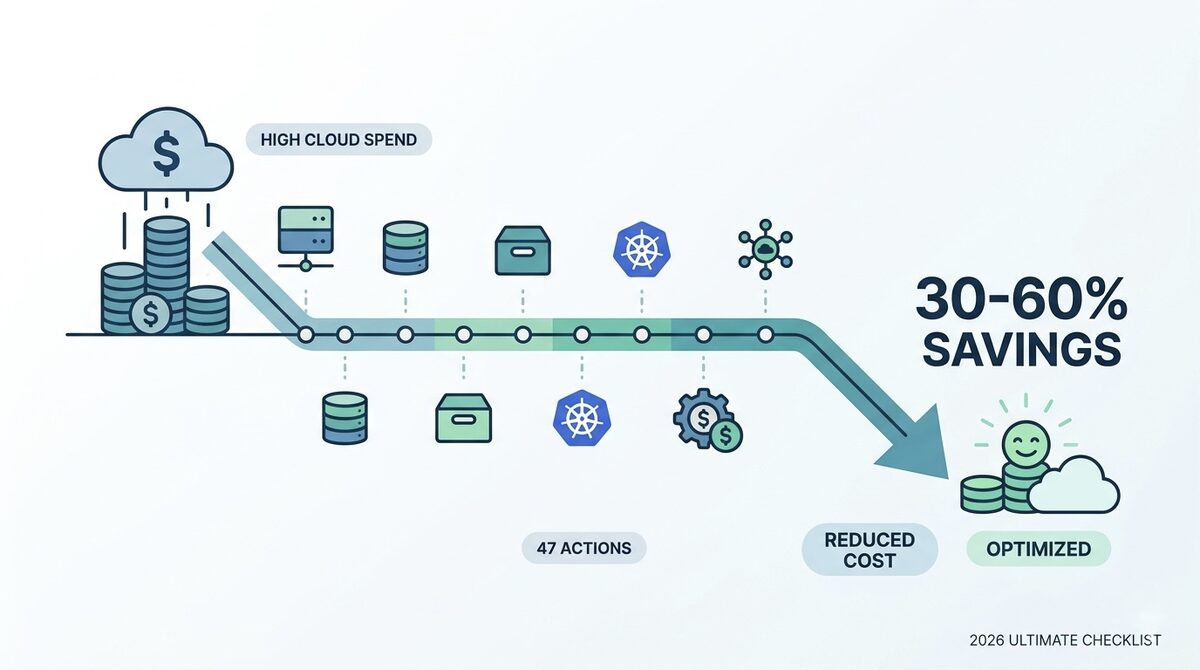
Expected result: 30-50% reduction in your next cloud bill with no impact on performance or reliability.
Frequently Asked Questions
How much should a small business spend on cloud services?
There is no universal answer, but a useful benchmark is that cloud costs should stay below 10-15% of revenue for SaaS businesses and below 5% for non-tech businesses. If cloud is eating more than that, you are either over-provisioned, under-optimized, or both.
Is multi-cloud worth it for small businesses?
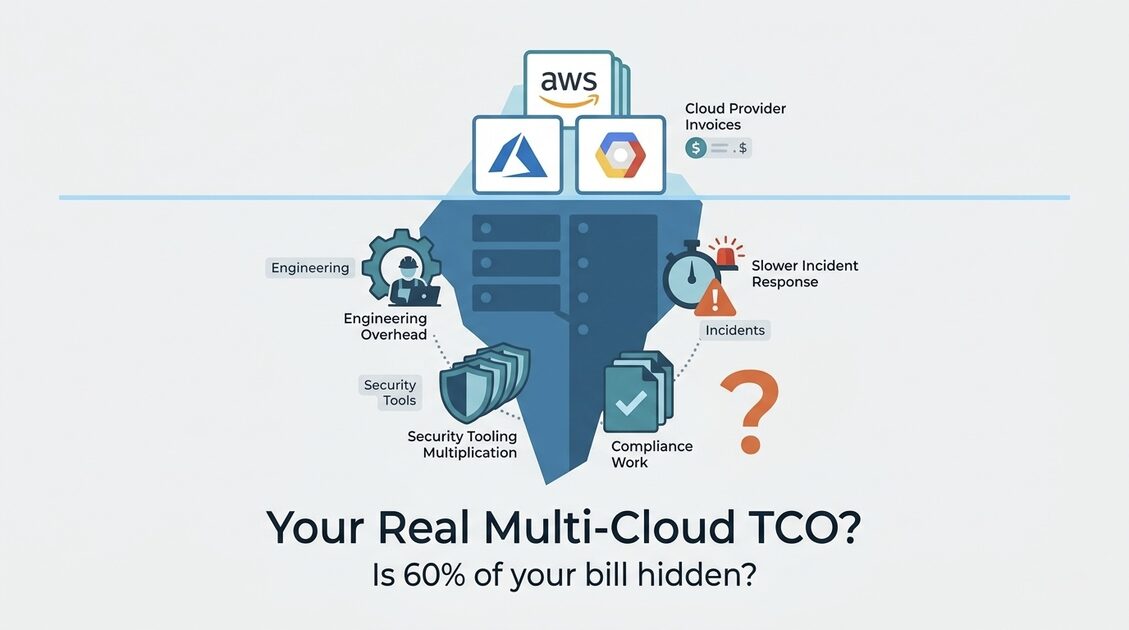
Almost never. The operational complexity of managing two cloud providers far exceeds any cost savings from pricing arbitrage. Pick one provider, learn it deeply, and optimize within that ecosystem. Multi-cloud only makes sense when you have a specific workload that is dramatically cheaper on a different provider (like using Cloudflare R2 for storage to avoid egress fees).
Can I optimize cloud costs without a dedicated DevOps engineer?
Yes. The 12 strategies in this guide can be implemented by any developer with basic cloud console access. The scheduling, right-sizing, and lifecycle policy changes do not require DevOps expertise. More advanced optimizations like auto-scaling tuning and infrastructure-as-code may need someone with deeper cloud experience.
What is the fastest way to reduce my AWS bill today?
Check for idle resources first. Go to AWS Cost Explorer, group by service, and look for services you do not recognize or that seem disproportionately expensive. Then run AWS Trusted Advisor for instant recommendations. These two steps take under 30 minutes and typically reveal 15-25% in immediate savings.
Should I move everything to serverless to save money?
Not necessarily. Serverless (Lambda, Cloud Run, Azure Functions) is extremely cost-effective for variable, event-driven workloads with low to moderate traffic. But at high request volumes, serverless can cost more than reserved EC2 instances. A Lambda function processing 100 million requests per month can cost $2,000+, while a reserved t4g.large instance handling the same load costs $67/month. Match the pricing model to your traffic pattern, not to the latest trend.
How often should I review my cloud costs?
Weekly during optimization, monthly after you have established a baseline. Set up automated alerts for anomalies so you catch unexpected spikes immediately rather than discovering them on your next monthly bill. AWS Cost Anomaly Detection is free and catches most spending surprises automatically.
Start Saving Today
You do not need a massive budget, a dedicated FinOps team, or a complete architecture overhaul to cut your cloud costs significantly. You need 4-8 hours this month, the willingness to look at your bill closely, and the discipline to delete what you do not need.
Start with the quick wins. Schedule your dev environments. Delete your zombies. Right-size your databases. That alone will likely save you 20-30% on your next bill.
And if you want expert help finding every dollar of waste, reach out to our team. We help small businesses and startups build lean cloud infrastructure that scales without surprises.